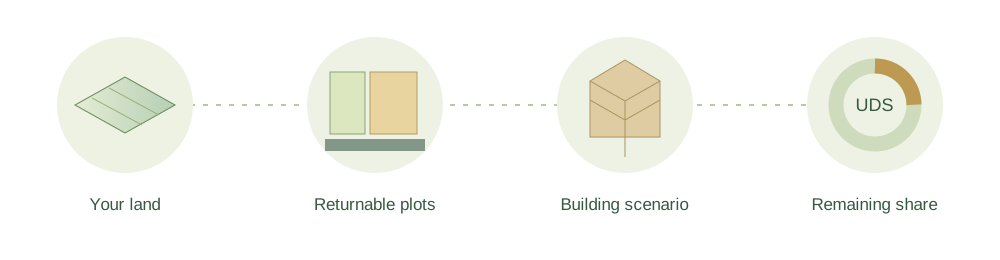
Your land.
A clearer path forward.
From agricultural land to returnable plots, shared ownership and a building plan. See how each number connects.
Explore my land ↗One place. Every step. Your own scenario.Start with what you contribute
How much land will you pool?
Enter dry and jareebu areas separately. Use the category accepted in the official land record.
1 × 120 sq yd · A1
0 sq yd remainingTotal entitlement: 120 sq yd1 × 30 sq yd · G1
0 sq yd remainingTotal entitlement: 30 sq ydThe main results show standard plot area within your entitlement. Any balance stays separate; it is not an extra physical plot. TDR bonds are one option for the balance, alongside permitted joint or undivided-share choices. The applicable APCRDA process must confirm the choice. APCRDA handbook, section 2.6 ↗
Per accepted acre: 1000 sq yd residential; 250 sq yd commercial for dry land or 450 sq yd for jareebu. 100 cents = 1 acre. The two land classes are calculated separately and then added.
An entitlement is an area calculation. It does not confirm eligibility, a location, possession date or a plot allotment.
Turn area into a plot choice
See what your plots could look like.
Start with the suggested standard sizes, or choose another code and count. Dimensions come from the Phase 1 catalogue.
Residential plots
120 sq yd entitlement
Starting suggestion: largest listed size that fits, repeated where needed. Other combinations may leave a smaller balance. This is not an allotment offer.
Check A1 in the ebook ↗Commercial plots
30 sq yd entitlement
Starting suggestion: largest listed size that fits, repeated where needed. Other combinations may leave a smaller balance. This is not an allotment offer.
Check G1 in the ebook ↗Each side models one size repeated. A mix of different sizes may reduce the remaining balance. Explore the complete visual catalogue →
Give the numbers a shape
Explore a building-area scenario.
This stage uses the revised Phase 1 ebook table. It is a historical estimate, not current building approval or a guarantee for later pooling.
Minimum of FSI ceiling and footprint × 1 levels. This is gross scenario floor area, not carpet or saleable area.
Nominal catalogue area controls this model’s FSI and coverage. Rounded width and depth control its setback rectangle. Current road access, zoning, height, fire, parking, services and later amendments are not screened. Area alone does not qualify a use or building type.
Revised Phase 1 building table · historical reference ↗Connected to the city
Understand the road outside.
A street is more than its paved lanes. Explore the full reserved corridor, then check the actual road on your approved layout.
utilitiesCarriagewayTrees
utilitiesWalk
Concept section only. Internal bands are not engineering dimensions. Changing ROW here does not change the building estimate or assign this road to your plot.
Find your actual frontage
Check road width, widening lines, access, corner conditions and the plot boundary on the sanctioned layout. A1, B2 and other size codes do not specify road width.
Check services on the ground
Confirm road and drainage access, water, sewerage, power and other required connections before planning construction. A planned corridor is not proof of completed services.
From an estimate to a real project
Your next steps, in order.
Keep this scenario with your records. Use the official process to confirm each stage.
- 01
Confirm the land
Check accepted extent, title, category, scheme boundary and agreement with APCRDA.
- 02
Record plot choices
Keep residential and commercial choices separate. Confirm sizes, joint options and any remaining share.
- 03
Verify the allotment
Check the full parcel code, registered area, boundaries, zoning and road access.
- 04
Prepare a sanctioned design
Ask a qualified designer to apply the current rules, parking, fire access and service requirements.
- 05
Build and complete
Obtain permission, follow required inspections and secure completion or occupancy approval as applicable.
A useful plan starts with clear numbers.
This tool keeps residential, commercial, building and ownership areas separate. Display values are rounded; calculations use full precision. All calculations run on your device.
The facts behind your scenario
Sources reviewed 7 Oct 2026. The planner distinguishes notified rates, historical building rules and your own assumptions.
One journey, three different kinds of information
The entitlement rates follow the rule basis you select. The plot dimensions and building presets come from the Phase 1 Telugu ebook. The building estimate is a teaching model based on old tables. It is not a building permission.
A later pooling scheme can have different layouts, plot options and building rules. If you pick a future scenario, the planner only assumes the same rates. It does not mean you are eligible.
How the suggested plot choice works
The planner starts by picking the largest listed size that fits inside each entitlement. For a large entitlement, it repeats that size as many whole times as it can. It does not try every possible combination.
Choose another code and count to try a different mix. Residential and commercial entitlements always stay separate. A size in the catalogue is not a plot that is available to you, and it is not a promised allotment.
What a remaining share means
The ebook gives a dry-land example of 2.255 acres: 2,255 sq yd of residential entitlement, a 2,250 sq yd plot choice, and 5 sq yd left. It describes joint choices, an undivided-share auction route and TDR.
The UDS illustration divides your remaining entitlement by a proposed shared plot area. The deed and authority must confirm the actual denominator, owners and shares. UDS is ownership in the whole plot, not an independently buildable strip.
The sample payout uses your share of the money left after agreed deductions. It is not a valuation or an offer, and it does not predict what an auction will fetch.
Road research and its limits
An APCRDA construction-management presentation lists LPS road widths (rights-of-way) of 12, 15.6, 17 and 25 metres, and trunk corridors of 50 and 60 metres. These are planning figures, not a report of roads finished today.
Right-of-way means the full strip of land kept for the road. The paved part is only one piece of it. The road drawing shows what each part is for. It is not an approved lane or footpath design.
The official APCRDA GIS service publishes an LPSRoads layer. Check the approved layout, road-widening line and sanctioned access for the actual plot. A plot letter does not determine its road width.
Before you build
Confirm the land record, the accepted extent and the land category with APCRDA. Check that your land is inside the notified scheme boundary, and which package applies. Keep the original acknowledgement and agreement safe.
After allotment, verify the full plot identifier, registered area, boundaries, zoning, roads and service access. A code such as A1 is only the size category.
Use a qualified designer to check current setbacks, height, parking, fire access, utilities, structural design and green requirements. Obtain the required permission, follow inspections and apply for completion or occupancy approval as applicable.